
Pen Friend
A handwriting notebook for iPad that answers beside your writing
- Price
- Free
- No in-app purchase
- Runs on
- iPad
- iPhone reads, Mac and PC companions free
- Account
- None
- Nothing to sign up for
- Tracking
- None
- No analytics at all
- AI
- Gemini
- Reads pictures of your pages
- Backup
- iCloud
- Your own, not mine
Preview


A notebook first.
Pages you turn, in your own hand, kept on your iPad. The answers, the briefings and search by meaning are written by Google's Gemini, from pictures of your pages.
App privacy
Pen Friend is a handwriting notebook for iPad, with a reader for iPhone and small companion apps for Mac and Windows. There is no account, no analytics, no advertising and no tracking. Your worklogs live on your iPad.
Read the privacy policyWhat it does
Step 1
Write
Pages you turn, on grid, lined, dotted or blank paper, in your own hand
A real page Pages you turn, like a notebook.
Grid for diagrams and maths, lined for writing, dotted for both, blank for sketching, on pages you turn rather than one canvas that never ends. Tick a box on a page and To do in the sidebar gathers every page that still has one open.
Write it by hand Your Pencil, your handwriting, nothing typed.
Writing by hand slows you down in the useful way, and it sticks. Pen Friend keeps it as ink, in your handwriting, and does the typing for you only when you take the page out.
Step 2
Get unstuck
Ask on the page or on tracing paper, and copy the maths as LaTeX
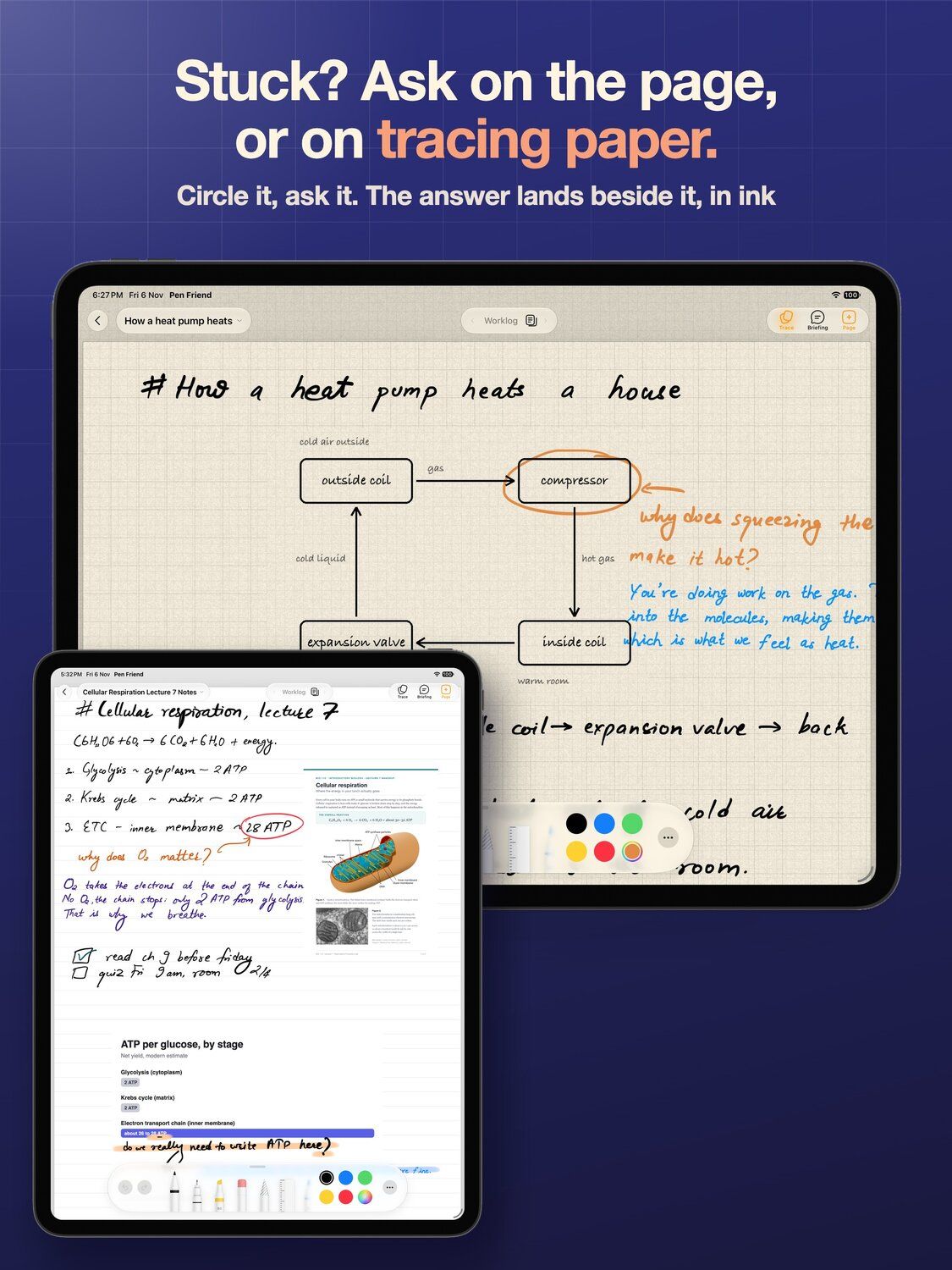
Ask on the page Circle it, ask it. The answer lands beside it, in ink.
Write a question on the page, end it with a question mark, and pause. A dotted line appears under it. Tap the line and the answer is written beside your question in handwriting, or on tracing paper if you would rather keep the page clean. The Trace button brings the paper down over the page and lifts it away again, so you can circle a diagram and ask about it without marking the page underneath.
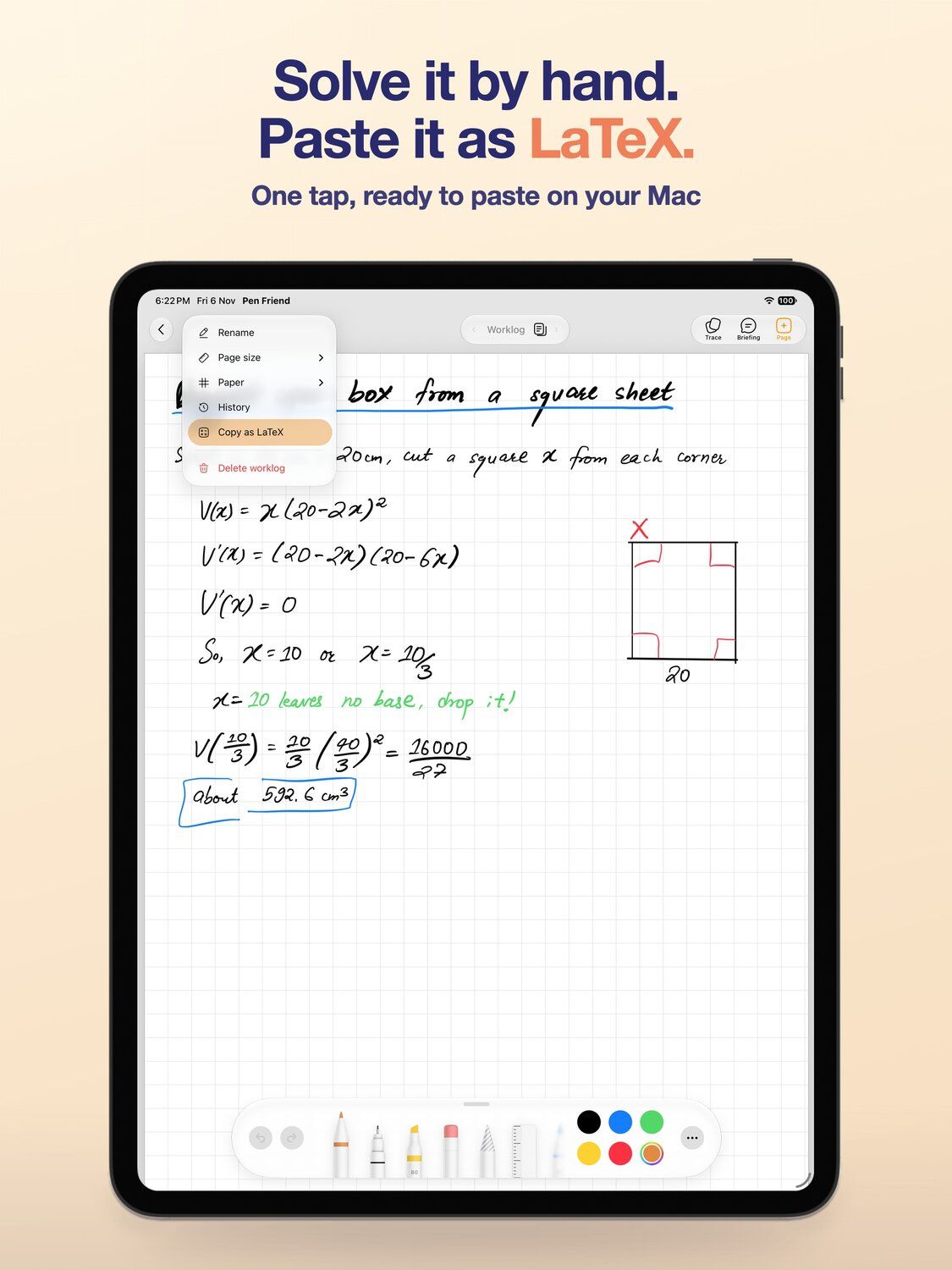
Turn handwritten maths into LaTeX on iPadPaste it as LaTeX One tap, ready to paste on your Mac.
Work the problem by hand, the way you think it through, and ask on the page when you get stuck. When the equation is right, copy it as LaTeX in one tap and paste it straight into a paper, a notebook or a chat. No retyping fractions, no hunting for the backslash.
Turn handwritten maths into LaTeX on iPadStep 3
Find it again
Search by writing the question, and read the briefing when you come back
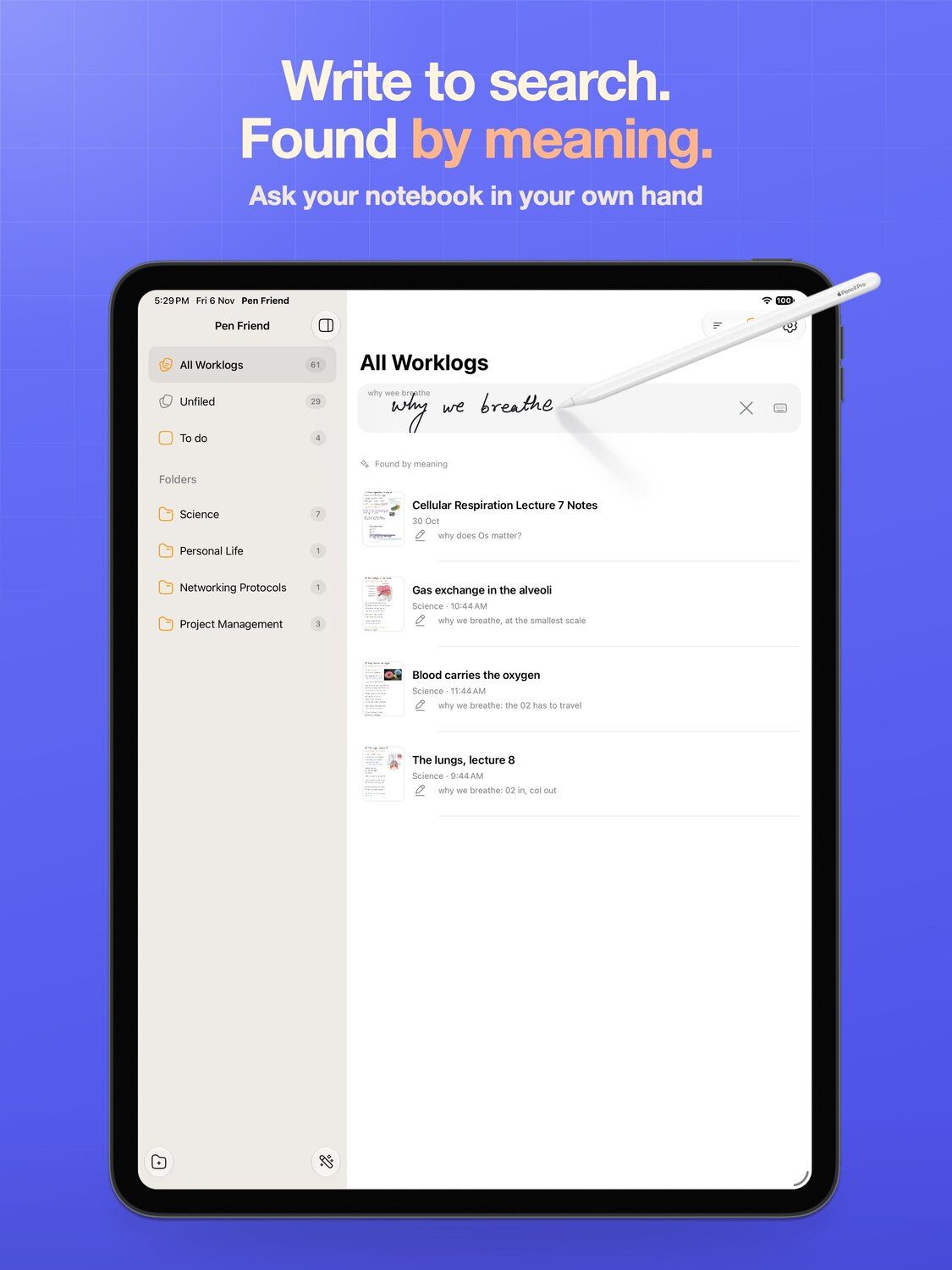
Found by meaning Ask your notebook in your own hand.
Handwriting is easy to make and hard to find again. Write what you half remember into the search field, in your own hand, and Pen Friend finds the pages by what they mean, not by matching letters. Search for "that bug with the login timeout" and it finds the page where you wrote "auth expires too early". It works across every worklog and folder, so a stack of notebooks you could never search becomes one you can.
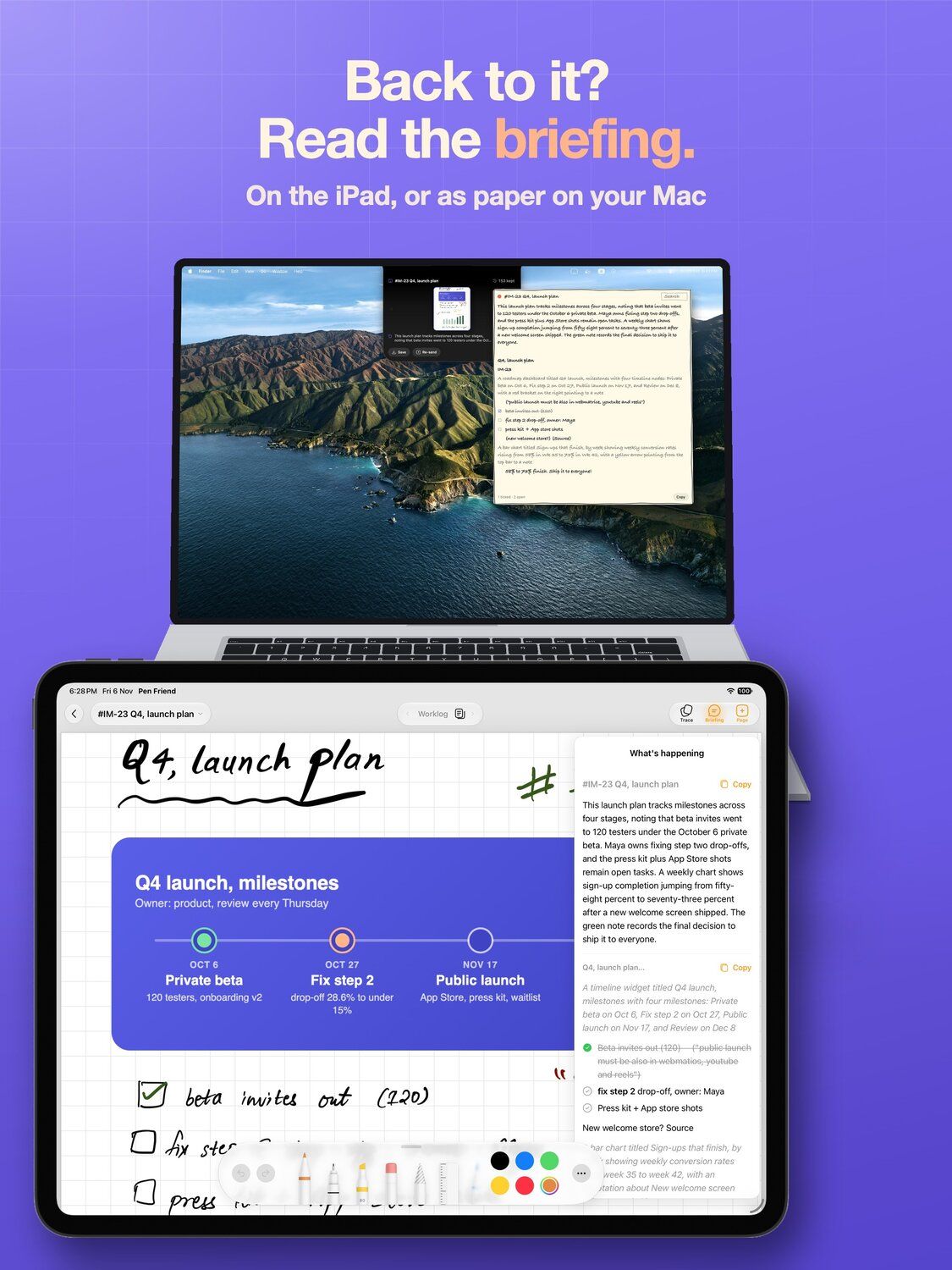
Search handwritten notes on iPad by meaningRead the briefing On the iPad, or as paper on your Mac.
Every page is read whole and typed up as clean text, with its headings and lists kept and its pictures numbered. Come back to a worklog and the briefing tells you where you left it. It opens on the iPad, or as paper on your Mac.
Convert handwriting to text on iPad, headings and allStep 4
Take it out
A flick puts the page on your Mac clipboard, and screenshots and PDFs come back
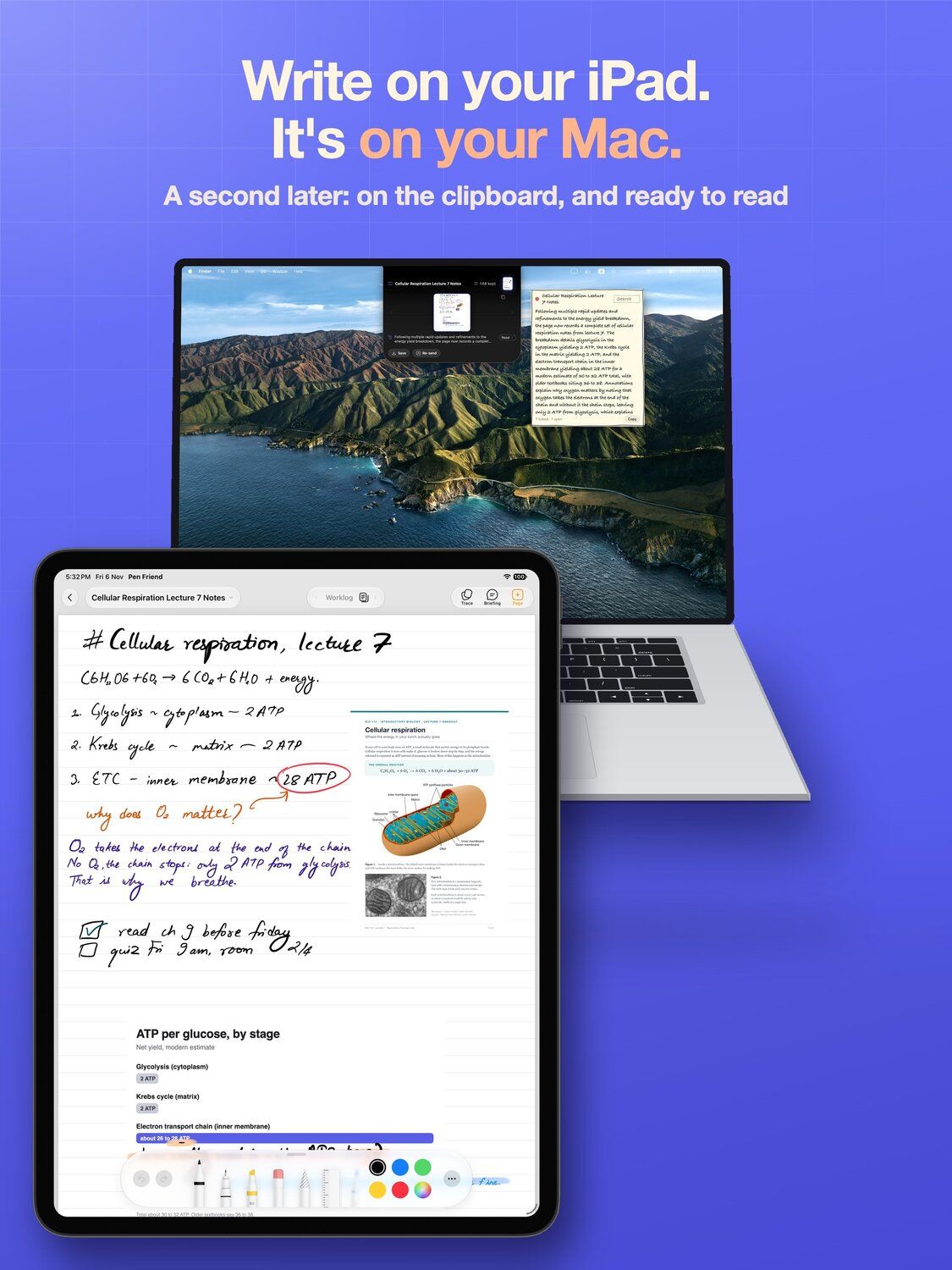
On your Mac in a second A second later: on the clipboard, and ready to read.
Flick the page and it is on your Mac clipboard a second later, ready to paste with ⌘V. There is nothing to install for that. Turn on Pen Friend Companion in Settings and flicked pages also land in a folder on the Mac, where you can read them at your desk. The first time, the iPad asks before joining a Mac it has not used before, and the Mac chimes to ask you too.
Get handwritten iPad notes onto your Mac in a secondFrom your Mac to your page Write on it, then send it back.
With Pen Friend Companion on, take a screenshot on the Mac and it lands on the page you are writing on, ready to circle and annotate with the Apple Pencil. Flick the page and it goes back. No account and no server in between, just your own network.
Get handwritten iPad notes onto your Mac in a secondMark up the PDF Your Mac has it on the clipboard.
Drop a PDF on the Mac and it opens on the iPad as real pages you can write between, not a flat picture. Mark it up, send it back, and the Mac has it on the clipboard, or as a real file you can drag out of the companion.
On Windows too Drop a PDF at the top of your PC screen. It lands on your iPad.
The free Windows companion sits at the top of your PC screen. Drag a PDF or a picture up there and it lands on the page open on your iPad, ready to write on with the Apple Pencil. Send it back and it arrives on your PC clipboard, ready to paste. Screenshots and copied pictures go across on their own. Same as the Mac: your own Wi-Fi, no account, nothing through me. Get it from the Microsoft Store.
Step 5
Keep it
A wall of whole pages, folders it suggests, and To do for every open box
Every page, kept Your whole notebook, filed into folders.
Home is a wall of whole first pages, with the list one tap away. Pen Friend suggests which folder a worklog belongs in and waits for you to approve the move. Lock a folder and it opens only with Face ID, Touch ID or your passcode.
Guides
One page for each thing people come to Pen Friend for.
What people are saying
 Nav AI Editorial, 11 October 2026 Read Read on Nav AI
“Pen Friend is built around a specific interruption: you are taking handwritten notes, get stuck, and leave the notebook to look something up.”
 u/QuanTradin Reply on r/SideProject, 36 upvotes, 34 comments Read Read on r/SideProject
“Freeform's paste, allow paste, airdrop loop drove me nuts too. the screenshot landing on the open page a second later is the bit I'd actually use every day.”
u/prophetsearcher Reply on r/SideProject, 36 upvotes, 34 comments Read Read on r/SideProject“Super clever. Can’t wait to try it.”
u/PancakeVE Reply on r/SideProject, 36 upvotes, 34 comments Read Read on r/SideProject“This looks amazing, leaving a comment here so I can receive the link”
u/danbt Reply on r/SideProject, 36 upvotes, 34 comments Read Read on r/SideProject“This is awesome! Waiting for the links.”
u/Living_Commercial_10 Reply on r/SideProject, 36 upvotes, 34 comments Read Read on r/SideProject“Less than zero seconds got me”
u/frastow Reply on r/ProductivityApps, 3 upvotes, 11 comments Read Read on r/ProductivityApps“Please include me when you launch. This use case seems perfect for how I work.”
u/No_Ant6261 Reply on r/NoteTaking, 18 upvotes, 17 comments Read Read on r/NoteTaking“"Writing is great, everything after is the problem" is exactly it.”
u/Vertigras_Dev Reply on r/NoteTaking, 18 upvotes, 17 comments Read Read on r/NoteTaking“Wish I had something like this when I did my honours... a seamless document editor is really cool”
u/Pen-Jorn Reply on r/NoteTaking, 18 upvotes, 17 comments Read Read on r/NoteTaking“Very nice functionality!”
u/gulojava Reply on r/NoteTaking, 18 upvotes, 17 comments Read Read on r/NoteTaking“Impressive”
 Simple Memo Reply on Bluesky, 7 likes Read Read on Bluesky
“the "write around a screenshot" part is the clever bit imo — most tools make you pick the image OR the notes, but thinking actually happens in the margins right next to the thing.”
Loggd Reply on Bluesky, 7 likes Read Read on Bluesky“nice, the round trip is what usually breaks 😅 screenshot in, page out, no airdrop in between”
 @AppLauncher_App Reply on X, 6 likes, 258 views Read Read on X
“Screenshot in, annotate, flick back out. That workflow alone makes this worth it for anyone doing design reviews across devices.”
Quoted word for word, linked to the original
From the developer
Why a handwriting notebook that answers back
You write by hand because it slows you down in the useful way. The thought has to finish before the pen does. Then you hit the thing you do not know, and the only way to find out is to put the pen down, pick up a phone, retype the question somewhere else, and lose the thread you were holding.
The page is where you think
Every other answer lives somewhere else: another app, another window, a search box that knows nothing about what you were doing. Pen Friend puts the answer where the question was asked. You write it on the page, pause, tap the dotted line under it, and the answer arrives beside it in a second ink. Your handwriting stays yours, its reply stays clearly its own, and the page still reads as one train of thought a week later.
A notebook before it is anything clever
Four papers, five page sizes, and real pages you turn, not an endless canvas. Pages gather into worklogs and worklogs into folders, and the home is a wall of whole first pages. That is the test a notebook has to pass first, and most AI notebooks fail it because the model is the product and the paper is an afterthought.
It remembers what you wrote
Handwriting is easy to make and hard to find again. Write what you half remember into the search field, in your own hand, and it finds pages by meaning rather than by matching letters. It writes a short briefing for each worklog, proposes which folder a page belongs in, and waits for you to approve the move. Nothing is filed behind your back.
And it stays on your iPad
There is no account, no analytics and no tracking. Your worklogs live on your iPad and back up to your own iCloud, and a flick puts a page on your own Mac. To write the answers, briefings and search results, pictures of your pages go to Google’s Gemini, and the privacy policy says exactly what is sent and when.
You should not have to leave the page to get unstuck.
Who it is for
People who think on paper and work on a screen: engineers keeping a worklog, students working problems by hand, designers sketching before they build, anyone who has a stack of notebooks they can no longer search. If you have an iPad and an Apple Pencil, this is the notebook that answers.

Where it has been talked about
7 GoodNotes alternatives for iPad in 2026
- Notability meetings and lectures, the audio links to your notes
- Nebo handwriting converted to text as you write
- Noteshelf planner and journal templates, on Android and Windows
- OneNote work that already lives in Microsoft
- Obsidian an archive you own outright, typed first
- Apple Notes free and already installed
- Pen Friend getting the handwritten page onto a Mac
I built this one, so weigh it accordingly. Where GoodNotes still wins outright: Pencil feel and document markup, years of polish that mine does not have.
Published on  LinkedIn
 Google Sites
From the developer
 I pressed the screenshot keys on my Mac, and before I had taken my hand off the trackpad the picture was on the iPad lying next to it. MacRumors Forums
- I really liked GoodNotes for actually writing. The problem was everything after. r/NoteTaking, 18 upvotes, 17 comments
- I stopped using Apple Notes and GoodNotes on my iPad. Bluesky, 7 likes
As mentioned in Facebook's answers
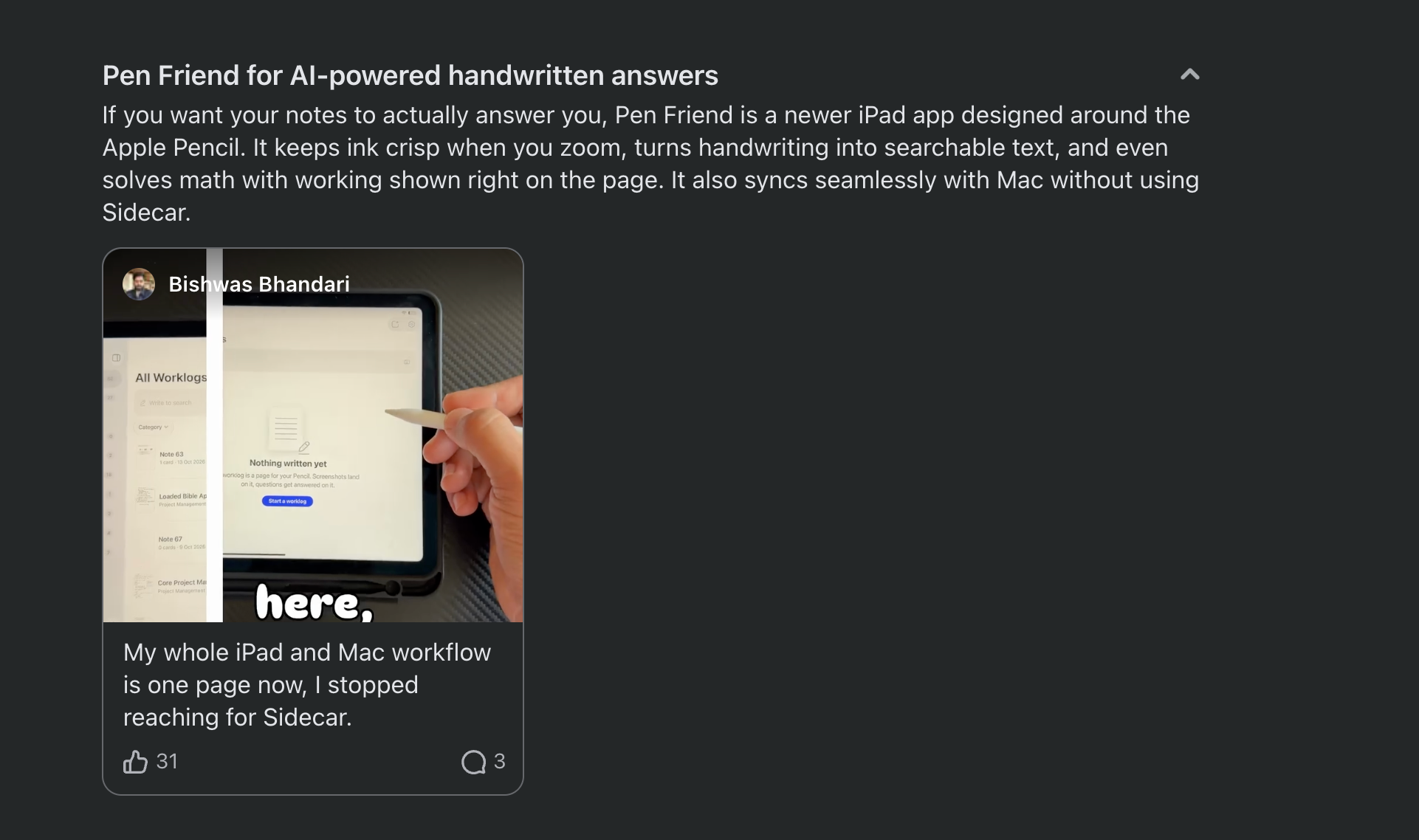
 Best Apple Pen Note Taking App “If you want your notes to actually answer you, Pen Friend is a newer iPad app designed around the Apple Pencil. It keeps ink crisp when you zoom, turns handwriting into searchable text, and even solves math with working shown right on the page. It also syncs seamlessly with Mac without using Sidecar.” Read the answer on Facebook
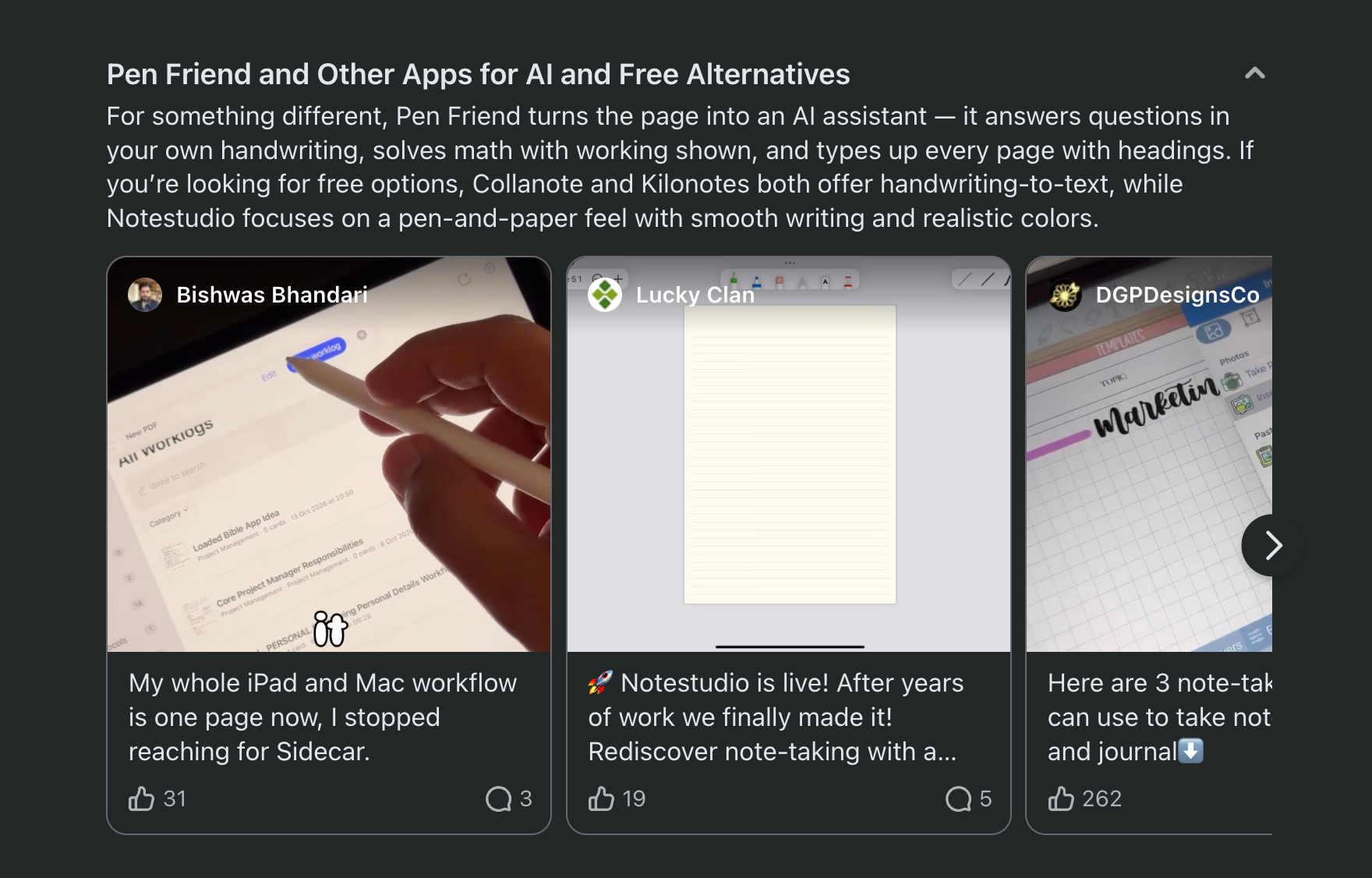 Best iPad App for Writing Notes With Pencil and Converting to Typed Text “For something different, Pen Friend turns the page into an AI assistant — it answers questions in your own handwriting, solves math with working shown, and types up every page with headings.” Read the answer on Facebook


Also on
 YouTube, 1,409 views Best iPad note taking app? Not Apple Notes, not GoodNotes
- YouTube, 109 views I Built a GoodNotes Alternative for My iPad and Mac Workflow
 TikTok, 81 likes A GoodNotes alternative that actually works with your Mac
- TikTok, 27 likes My whole iPad and Mac workflow is one page now
 Instagram, 39 likes Best iPad note taking app? Not Apple Notes, not GoodNotes
- r/SideProject UPDATE: the iPad notebook that puts your handwritten page on your Mac now does PDFs, and the Mac app moved into the notch
- r/buildinpublic Shipped last week after four trips through review. Here is the full walkthrough of what I built, and why half of it came from two DMs
- r/vibecoding, 7 upvotes, 10 comments the fastest prompt i've found for UI changes isn't a prompt
- r/SoloDevelopment Not a game dev, but I shipped my first solo app this year and the last 10% took longer than the first 90%
 Scribd Handwriting vs Typing Notes: Study Guide
Counts as of October 2026.
Questions people ask
- How do I ask the pen friend something?
- Write your question on the page, end it with a question mark, and pause. A dotted line appears under it. Tap the line, and the answer is written beside it in handwriting, on the page or on tracing paper.
- The Trace button in the bar brings tracing paper down over the page, and tapping it again lifts it away. Anything you circle or ask on the paper leaves the page underneath as you wrote it.
- The answers come from Google's Gemini, so a picture of the page is sent to it. If you would rather not see the dotted line, turn off Underline questions in Settings.
- Do I need the Mac companion?
- Not to get a page onto your Mac. A flick copies the page, and ⌘V pastes it on the Mac.
- Turn on Pen Friend Companion in Settings to go further: flicked pages land in a folder on your Mac or PC, screenshots taken there land on your page, and PDFs go both ways. The first time, the iPad asks before joining a Mac it has not used before. Pen Friend asks for Local Network access only once the switch is on, and for Photos only if you turn on iPad screenshots.
- If you said no to a permission by accident, turn it back on in Settings on the iPad, under Apps, Pen Friend.
- My backup shows an error
- Backup uses your own iCloud. Check that you are signed in to iCloud on the iPad, that iCloud Drive is on, and that there is free iCloud storage. Then open Settings in Pen Friend and choose Sync Now.
- If the error stays, send me the exact words it shows and I will look into it.
- What is sent to Google, and how do I delete my data?
- Pen Friend reads your pages with Google's Gemini to write titles, briefings, clean text, answers and search results. The privacy policy lists exactly what is sent and when.
- Deleting the app deletes everything it stored on the iPad. The iCloud backup is deleted in Settings on the iPad, under your name, iCloud, Manage Account Storage.


